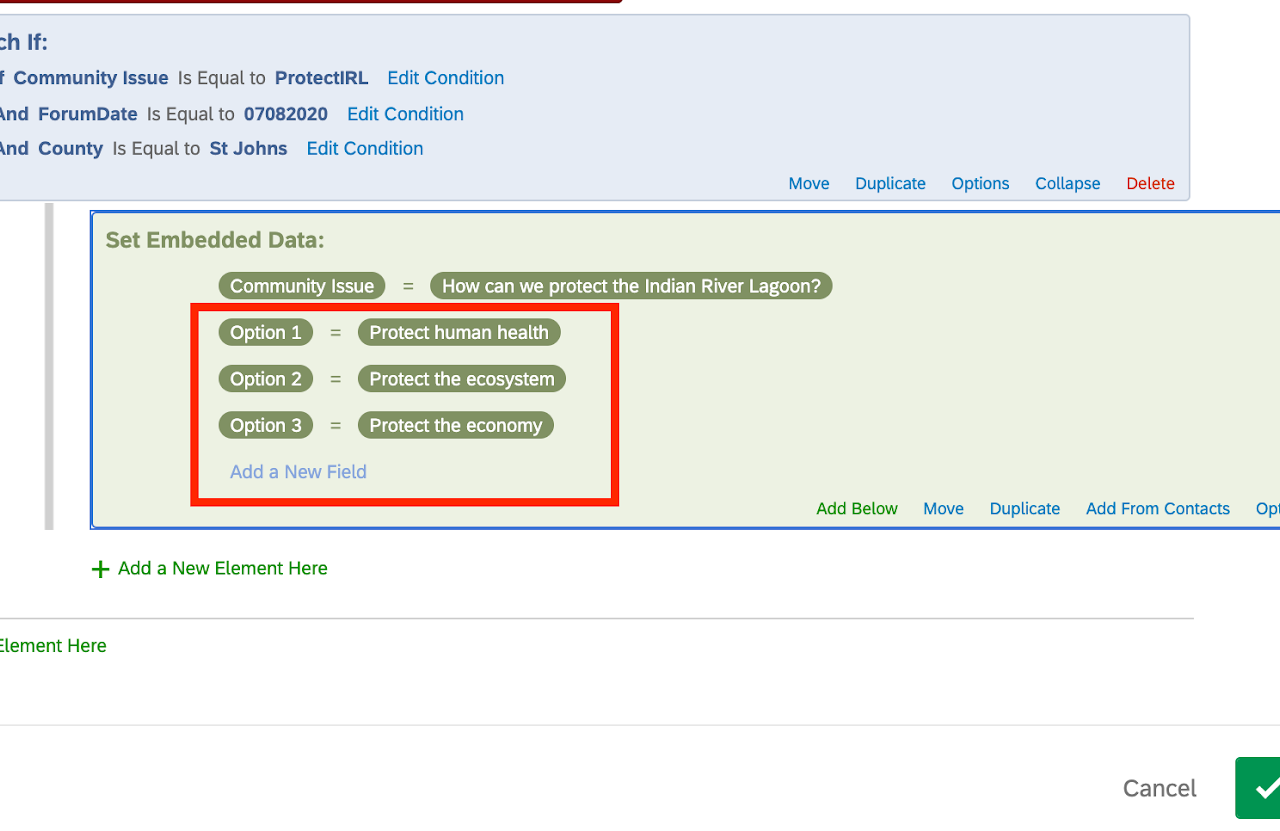
Step 12.1 If the event is a community forum, get your Community Issue and the three options ready to copy. If the event is a town hall meeting, get the community issue ready to copy. We strongly recommend keeping things short and sweet. For this example, we are using the following for a mock community forum...
- Community Issue: How can we protect the Indian River Lagoon?
- Option 1: Protect human health
- Option 2: Protect the ecosystem
- Option 3: Protect the economy
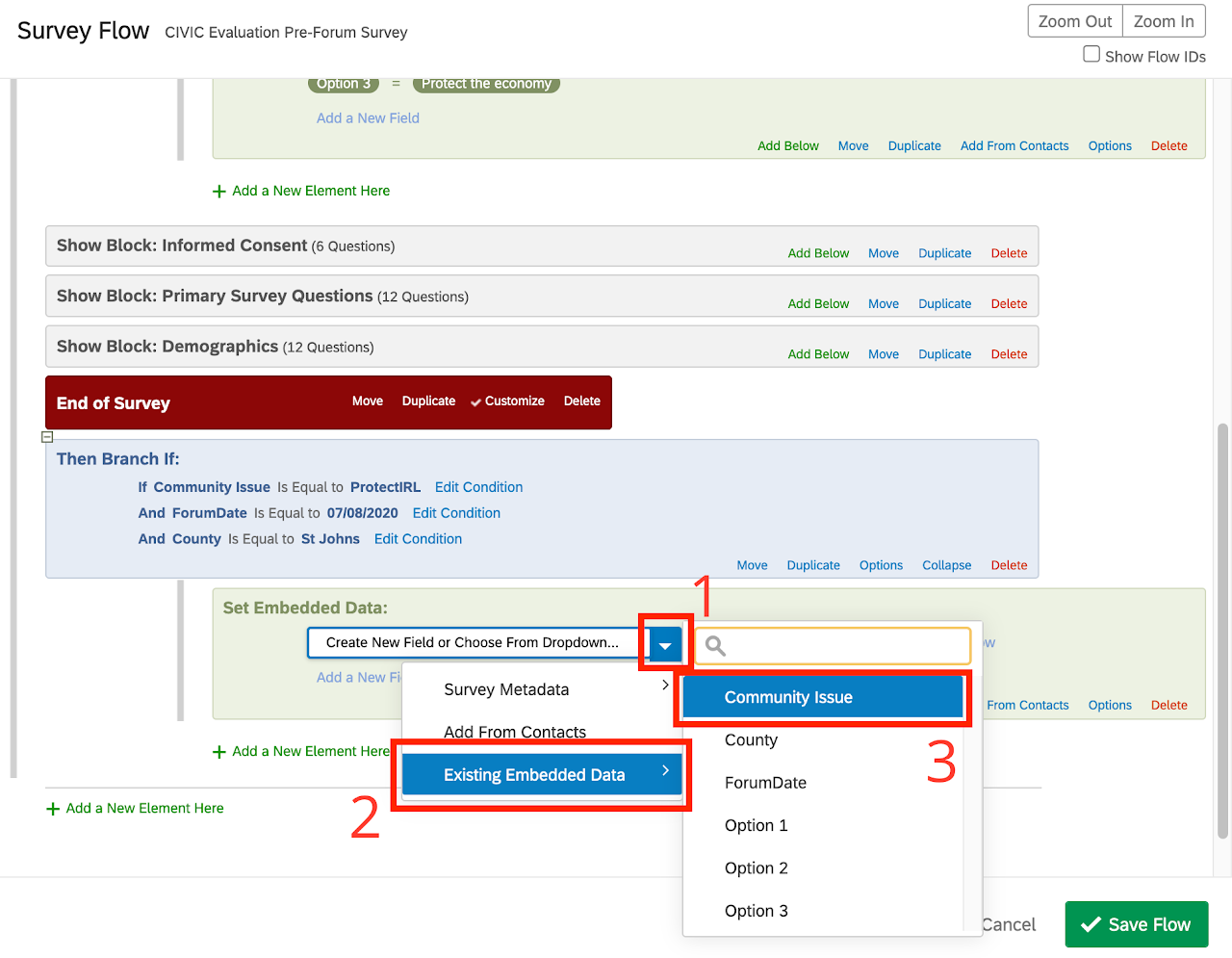
Step 12.2 Select the drop-down (sub-step 1 in the image), hover over or select "Existing Embedded Data" (sub-step 2 in the image), in the popup window select "Community Issue" (sub-step 3 in the image).
Step 12.3 Select "Set a Value Now". Type/ copy and paste your community issue statement in the field provided.
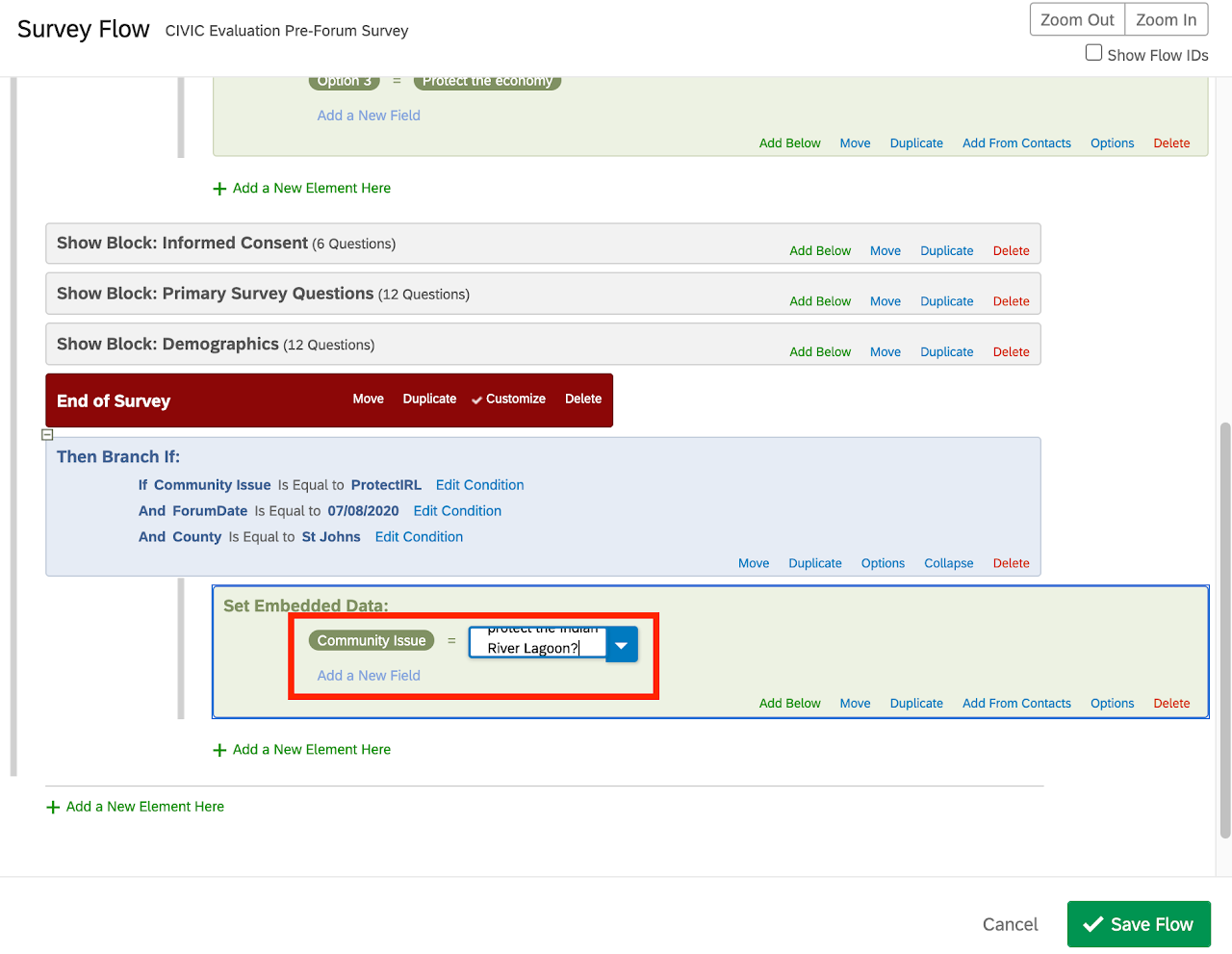
Proceed to step 12.4 if you are doing a community forum.
Proceed to step 13 if you are doing a town hall meeting.
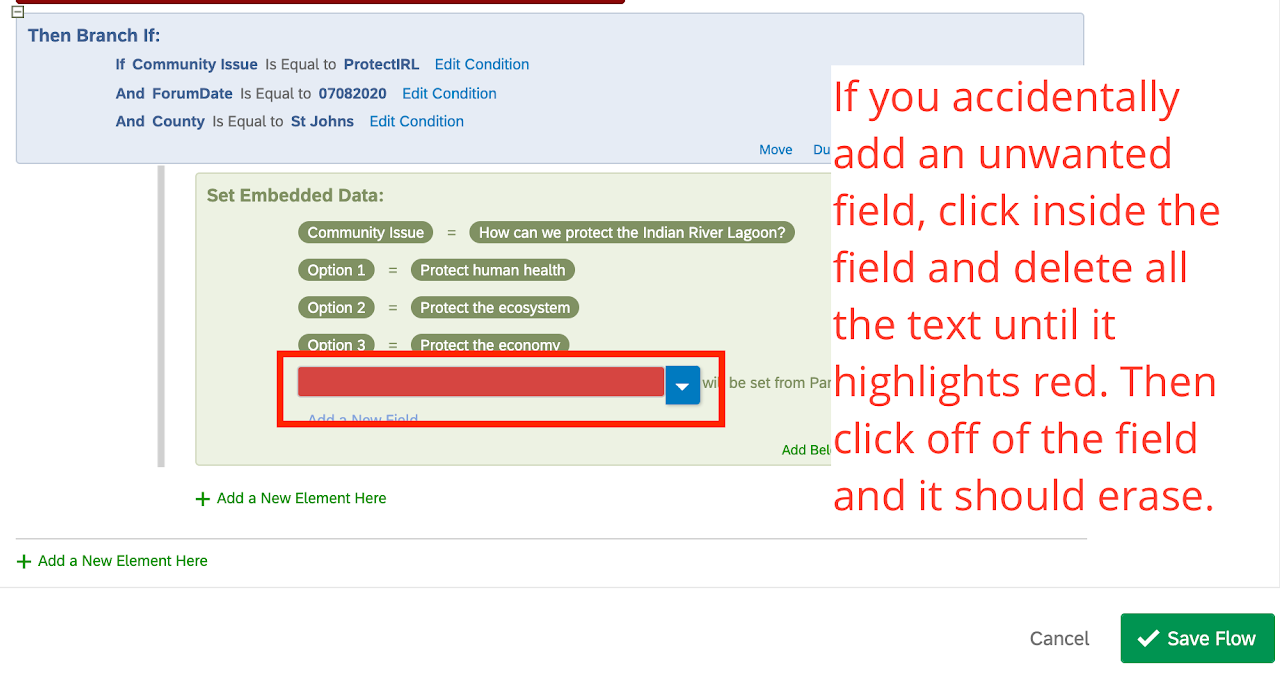
Note if you accidentally create an unwanted field click inside the field and delete all the text until it highlights red. Then click/ select off of the field, and it should erase.
 Step 12.4 Select "Add a New Field". Select the drop down (sub-step 1 in the image), hover over or select "Existing Embedded Data" (sub-step 2 in the image), in the popup window select "Option 1" (sub-step 3 in the image).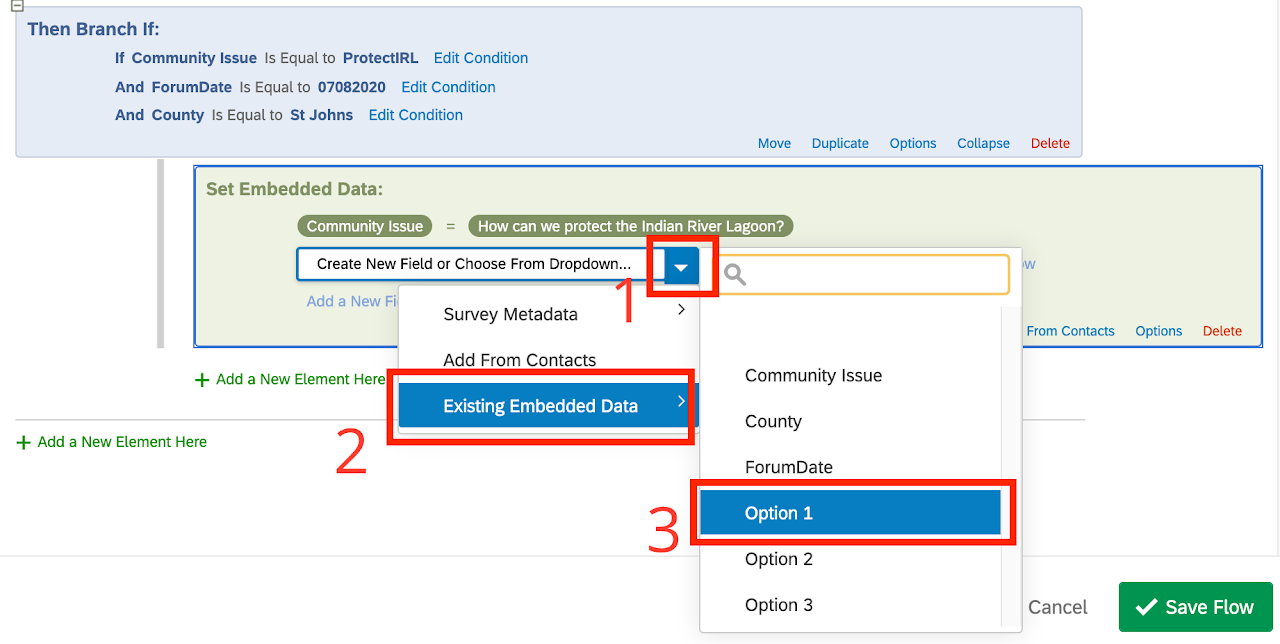
Step 12.5 Repeat step 12.4 for Option 2 and Option 3.