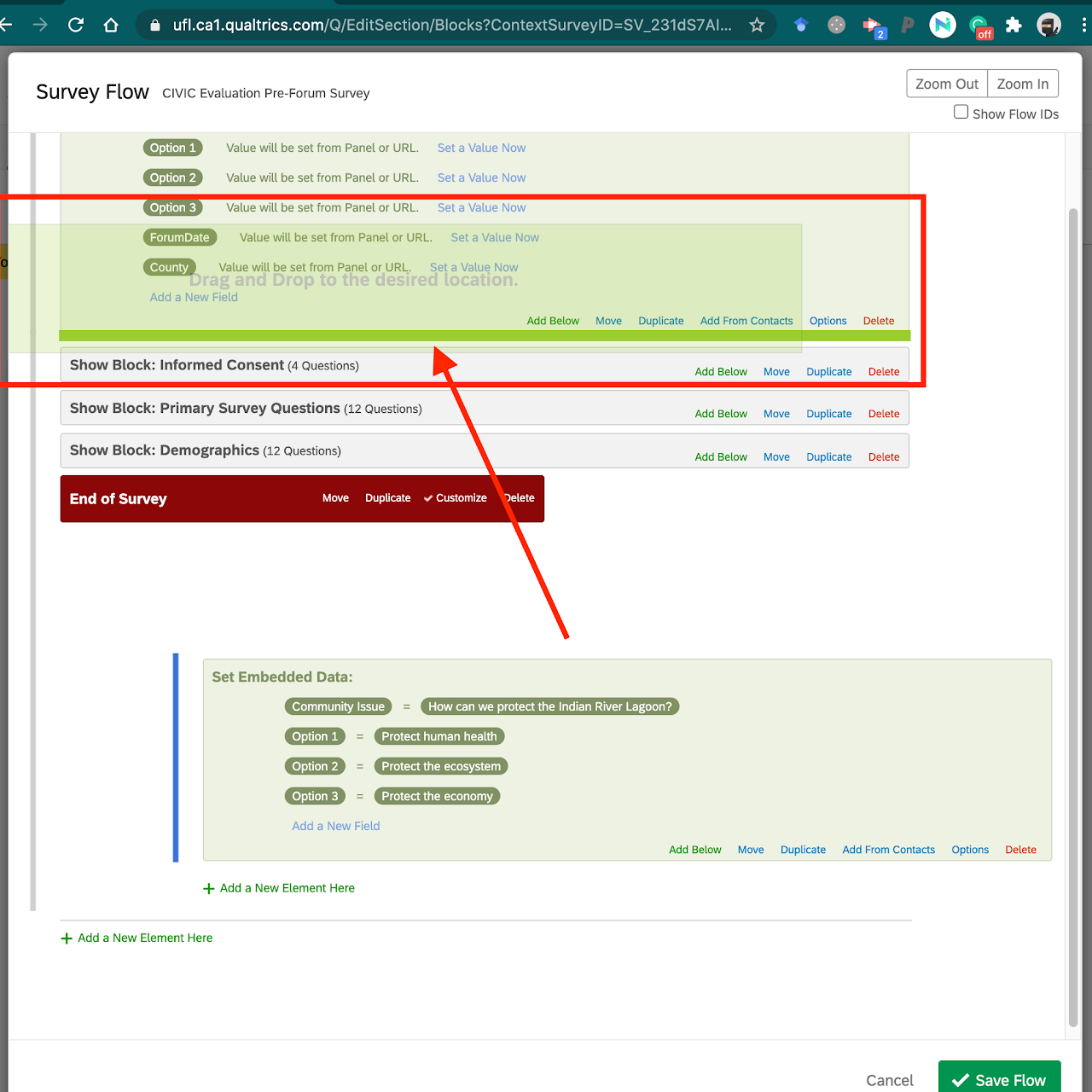
Step 13. The blue "Then Branch If" and green "Set Embedded Data" boxes need to be moved into place for the survey logic to work properly. For the logic to work properly, they need to be moved above the 3 grey "Show Block:" boxes. See image for reference.
To do this, select and hold the "Move" link in the blue "Then Branch If:" box
Drag and drop it above the grey "Show Block: Informed Consent" box. You'll see highlighted green spaces of where the survey tool believes you want to drop it. Make sure to drop it when the highlighted green space spans the full width directly above the "Show Block: Informed Consent" box.
Do not fret if you drop it in the wrong location. You can re-select the Move text and try again.
NOTE: the green "Set Embedded Data:" box automatically moves because it is a sub-element of the blue "Then Branch If:" box.